
Numeracy - Math Literacy

Numeracy generally means skill with numbers, kind of like math literacy. Introducing vector graphics might improve numeracy without the main focus being math. Simple, handcrafted graphics that are not overly complex can instill an understanding of coordinate systems and simple math.

Some kids don't see the benefits of math. Some kids don't like art because they can't draw the way they want. Computer graphics provides a practical use of art and math that can be fun and facinating.

The Learn to Code movement hopes to introduce programming to kids at an early age. Code.org has a great video they hope is shown in every school. Beginners can be overwhelmed with programming, but celebrities in the video state they started with something very simple. Markup languages like HTML and SVG can be a great place to start. It will spark interest because the kids can be creative, have fun, and see results quickly. Learning programming will be something they want to do as a natural progression in the desire to do more with what they have already learned.

A nice visualization - not to scale nor accurate

The SVG illustrations found on this website and in the eBooks presented are done by hand, coded in a simple text editor. The result is a simple illustration with more readable code and that makes adding javascript interaction easier.

Vector graphics scale cleanly. Scalable Vector Graphics (SVG) is the vector graphics language of the web. Click on the graphics on of this page to see for yourself how clean and crisp the images scale. Then, view the source of the graphic. It's just text.

If the graphics don't work well in your browser, consider upgrading or switching browsers. SVG is a World Wide Web Consortium (W3C) standard that web browsers should support for a consistent user experience.

Free and Entertaining eBook

Quadratic Bézier Curve

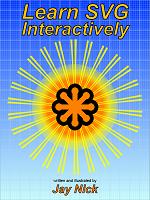
Learn SVG Interactively

by Jay Nick

Interactively learn Scalable Vector Graphics (SVG), the graphics markup for the web. SVG is a World Wide Web Consortium (W3C) recommendation. SVG is text, defining a graphic using a markup language. Learn how to get started creating your own SVG graphic. An Interactive SVG Calculator works in the book and is included as an example.

Adjust sliders or click buttons in the book to change the attributes of SVG elements and see the resulting change to the image inside the book.

Checkboxes show and hide elements and animation that assists in understanding the effects of changing attributes.

This eBook is free from Apple's iBookstore. Get it by clicking here.